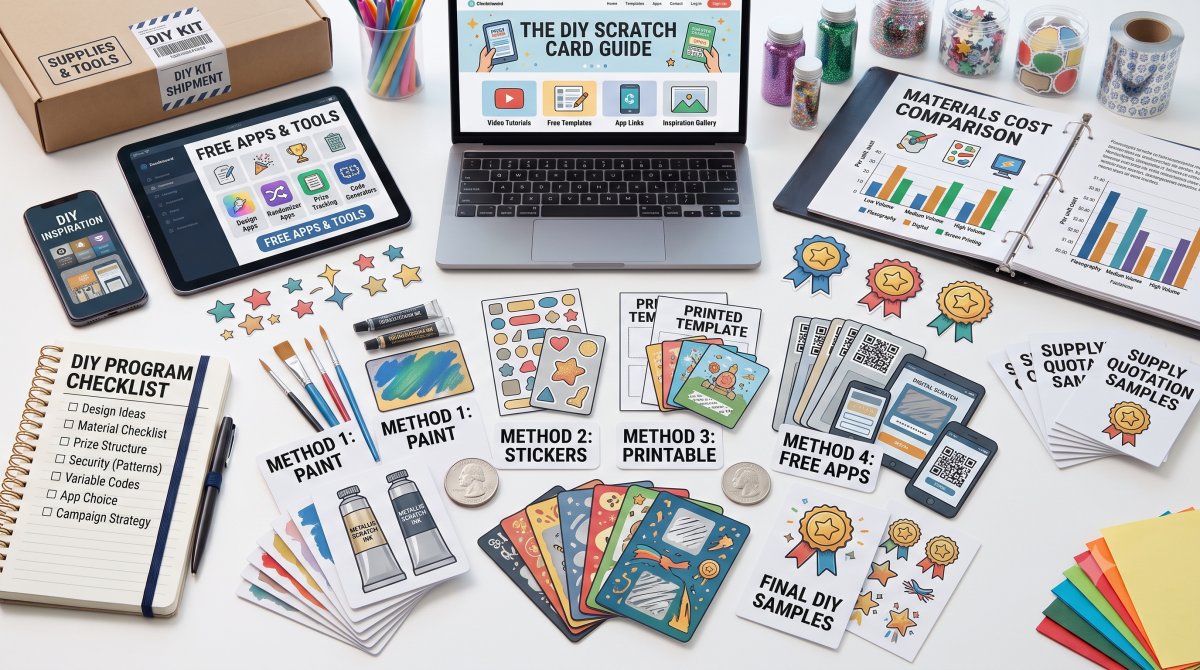
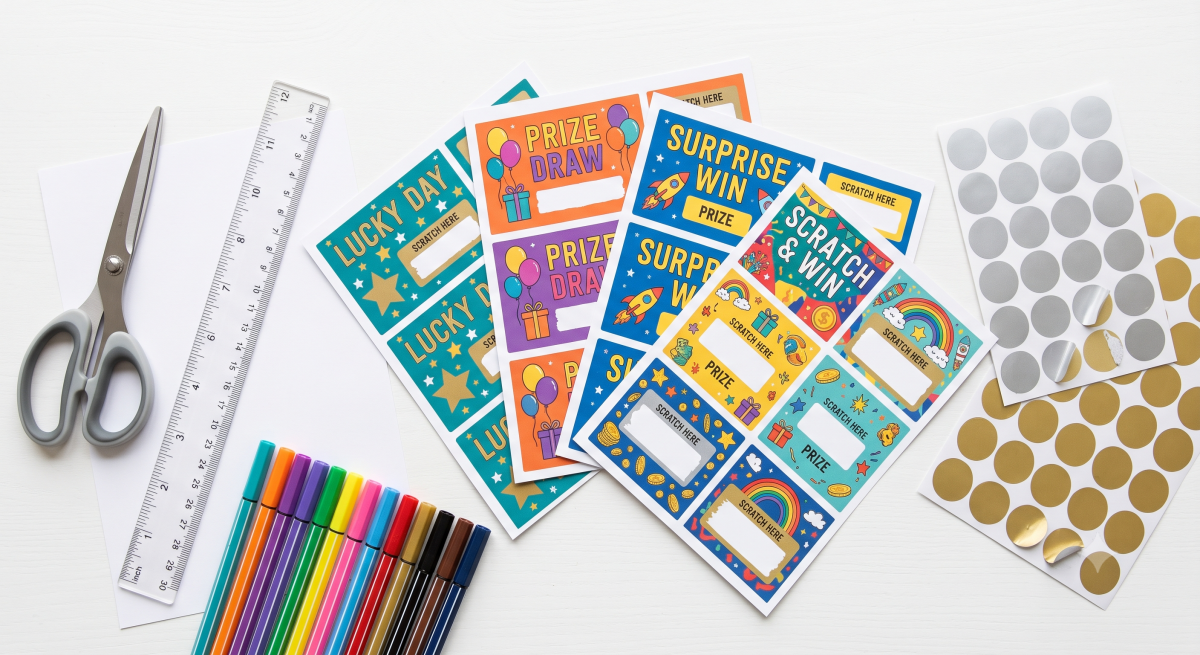
A printable scratch card gives you the fun of a lottery-style reveal without a printing press, a design degree, or a big budget. You download a template, personalize the hidden message, print it on cardstock at home, apply a scratch-off sticker (or your own scratch-off paint), and you’ve got a custom card ready for a promotion, a party game, a classroom reward, a Christmas surprise, or a gender reveal.
This guide covers the whole printable-template ecosystem: where to find printable scratch cards free and in PDF, how to design one in Canva or online, the best templates by occasion (including Christmas and gender reveal), the file formats you’ll encounter, and the step-by-step workflow to go from download to a finished, scratchable card — plus the small mistakes that trip people up.
If you want to design the look of the card, you’re in the right place. If you specifically need the coating-and-paint chemistry, that’s covered in our separate make-your-own guide; here the focus is the printable template and the design.
Quick answer: Where can I get printable scratch cards? You can download printable scratch card templates free from sites like Canva, PosterMyWall (40,000+ templates), and craft blogs that offer free PDF printables, or buy editable ones on Etsy and Teachers Pay Teachers. Personalize the template (usually in Canva, a PDF editor, or Corjl), print on cardstock, then cover the hidden area with a scratch-off sticker or homemade scratch-off paint. Many templates fit 6–12 cards per 8.5″ x 11″ page.
What Is a Printable Scratch Card?
A printable scratch card is a card design (template) you print at home or at a print shop, then turn into a real scratch card by covering the hidden area with an opaque, scratchable layer. The template handles the design — your branding, artwork, instructions (“Scratch to reveal!”), and the space where the prize hides. The scratch layer is added after printing, using either a peel-and-stick scratch-off sticker or a coat of homemade scratch-off paint.
It’s worth separating the two things people mean by “printable scratch card,” because it changes what you download:
- A design template — a graphic file (PDF, JPG, Canva link, or cutting-machine file) with the card layout. You print it, then add a scratch sticker over the prize spot. This is the most common meaning.
- Blank printable scratch card stock — pre-scored blank cards with a scratch panel already applied, which you run through an inkjet or laser printer to add your design. Less common, but available.
Most “printable scratch card template” searches want the first: a design you print on plain cardstock and finish with a sticker.
What is a printable scratch card template? A printable scratch card template is a ready-made card design you download and personalize — usually as a PDF, JPG, or editable Canva file — then print on cardstock at home. After printing, you cover the hidden prize area with a scratch-off sticker or homemade scratch-off paint. Templates come in every occasion (Christmas, gender reveal, business promo) and typically print several cards per page.
Why Use a Printable Scratch Card?
Printable scratch cards are cheap, fast, and endlessly customizable — and they tap the same engagement psychology that makes professional scratch cards work. Interactive, gamified formats generate engagement rates 100% to 150% higher than static ones (AmplifAI, 2026), and gamified content is shared roughly 12 times more than non-gamified content. Even a homemade printable version delivers that little hit of anticipation and reward, which is exactly why teachers, small businesses, and party hosts love them.
The practical advantages:
- Budget-friendly — free or a few dollars for a template, plus stickers and cardstock.
- Instant — download and print in minutes, no shipping wait.
- Fully customizable — change the prize, colors, and occasion for any use.
- Low quantity friendly — perfect for a classroom, a party, or a handful of cards where professional printing minimums don’t fit.
Where to Find Printable Scratch Card Templates (Free & Paid)
Here’s the full landscape, from free downloads to editable marketplace templates.
| Source | Free or Paid | Format | Best For |
| Canva | Free (Pro extras) | Editable online → PDF/JPG | Designing your own from a card template |
| PosterMyWall | Free + paid | Editable online | 40,000+ scratch card templates to customize |
| Craft blogs (First Day of Home, A Crafted Passion, etc.) | Free PDF | Ready PDF printables | Grab-and-print occasion cards |
| Easy Scratch-Offs | Free + paid bundles | Downloadable templates | Occasion bundles with matching stickers |
| Etsy | Paid | Editable (often via Corjl) | Wedding, bridal, gender-reveal games |
| Teachers Pay Teachers (TPT) | Free + paid | Editable Canva | Classroom rewards and birthday cards |
| Cutting-machine stores (Silhouette, Cricut Design Space) | Free + paid | Print & Cut files | Custom die-cut shapes and reveal pieces |
Free Printable Scratch Cards (PDF)
Many craft blogs offer genuinely free printable scratch cards as PDFs — often in exchange for an email signup. A typical free printable includes 6 cards per page, each with three scratch-off spots and a customizable phrase, so you can change what each spot reveals for any event. Occasion-specific free bundles (Christmas, gender reveal, customer appreciation, save-the-date) are widely available, and some free sets even include the matching scratch-off stickers.
Scratch Card Template in Canva
Canva is the go-to for designing your own. You start from a free printable card template, customize the text, colors, and images, then download in the format you need and print at home — or use Canva Print to have copies shipped. Many sticker and card sellers also provide pre-designed Canva templates: you click a link, edit the text on the Canva page, and save it as a PDF for printing. It’s the easiest route if you want to design rather than grab a fixed PDF.
Editable Marketplace Templates (Etsy, TPT, Corjl)
For polished, occasion-specific designs, marketplaces sell editable templates — commonly delivered through Corjl, a browser-based editor where you customize text with no software or font downloads, then save as PDF or JPG. These are popular for bridal shower “Who Has the Groom” scratch games, gender-reveal tic-tac-toe cards, and holiday customer-appreciation cards, and many offer a free demo so you can test the editing before buying.
Are there free printable scratch cards? Yes. Canva and PosterMyWall offer free, customizable scratch card templates, and many craft blogs give away free PDF printables (often for an email signup) — commonly 6 cards per page with three scratch spots each. Occasion bundles for Christmas, gender reveals, and customer appreciation are widely available free or for a few dollars, sometimes with matching scratch-off stickers included.
Best Printable Scratch Card Templates by Occasion
Templates come themed for nearly every use. The most searched:
- Christmas & holiday — “You’re on the Nice List!” reveals, advent-style cards, and holiday customer-appreciation cards. A festive favorite for family activities and small-business thank-yous.
- Gender reveal — tic-tac-toe or single-reveal cards hiding “Boy or Girl,” designed to be mailed so far-flung family can scratch together on a video call. Usually built around a 1″ or 2″ circle scratch area to match common sticker sizes.
- Bridal shower & bachelorette — “Who Has the Groom” and “Find the Groom” scratch games.
- Valentine’s Day — heart-shaped reveal cards, a perennial classroom and couple favorite.
- Business & customer appreciation — “Scratch to Win” discount cards (e.g., 10%–25% off), mystery-discount promos, and thank-you cards with each order.
- Classroom rewards — teacher templates (often 7 coupons per page) with editable prize text for treasure-box rewards and birthdays.
- Fundraisers & save-the-dates — donation-tier reveals and wedding save-the-date scratch hearts.
Is there a Christmas scratch card template? Yes. Christmas and holiday printable scratch card templates are widely available free and paid — including “You’re on the Nice List” reveals, advent-style multi-spot cards, and holiday customer-appreciation “Scratch to Win” cards for small businesses. You download the template, personalize the hidden message, print on cardstock, and cover each spot with a scratch-off sticker.
File Formats You’ll Encounter (and What They Mean)
Knowing the format tells you how much you can edit and what you need to open it:
- PDF — the most common printable format. Print-ready; some are flattened (print as-is) and some are editable via Corjl or Adobe.
- JPG / PNG — image files, usually print-ready but not text-editable.
- Canva template link — opens in Canva for full editing, then you export to PDF/JPG.
- Corjl — a browser editor many Etsy sellers use; edit text online, save as PDF/JPG, no downloads needed (typically time-limited access, e.g., 6 months, with a download cap).
- MS Word (.docx) — some blank-card makers (like MR-LABEL) provide Word templates for easy text editing.
- Silhouette Studio / Cricut Print & Cut — cutting-machine files that print your design and cut custom shapes precisely, ideal for die-cut reveal pieces.
What format are printable scratch cards in? Most printable scratch cards come as PDF (print-ready or editable), JPG/PNG images, or editable Canva and Corjl templates. Some blank-card makers offer MS Word templates, and cutting-machine users can get Silhouette or Cricut Print & Cut files for custom shapes. Canva and Corjl let you edit the text online; flattened PDFs and JPGs print as-is.
How to Make a Printable Scratch Card: Step by Step
The workflow is the same whether your template is free or paid.
- Choose and download a template. Pick one sized to your needs — business-card (2″ x 3.5″), 4″ x 6″, or a multi-card sheet. Note how many print per page (commonly 6–12).
- Personalize it. Edit the hidden message and branding in Canva, Corjl, or a PDF editor. Keep the hidden text large and bold, and add a clear call to action like “Scratch to reveal your prize!”
- Print on cardstock. Use sturdy cardstock (not thin paper) at your printer’s highest quality setting for crisp color. Cardstock holds up to scratching and mailing.
- Cut to size. Trim with scissors or a paper cutter; round the corners for a polished look.
- Add the scratch layer. Either apply a pre-made scratch-off sticker over the hidden area (fastest, most reliable), or brush on homemade scratch-off paint (2 parts acrylic paint to 1 part dish soap) over a strip of clear tape covering the message.
- Let it cure. Stickers need about 48 hours to fully adhere; homemade paint needs a couple of hours to dry.
- Scratch with a coin to reveal.
How do I print and use a printable scratch card? Download a template, personalize the hidden message in Canva or a PDF editor, and print it on sturdy cardstock at high quality. Cut the cards out, then cover each hidden prize area with a scratch-off sticker (let it cure about 48 hours) or homemade scratch-off paint over clear tape. Scratch with a coin to reveal. Match your scratch area size to your sticker size (commonly 1″ circles).
Design Ideas & Tips for Great Printable Scratch Cards
- Match the scratch area to your sticker. If you’re using 1″ circle stickers, design the reveal spot at 1″ so it’s fully covered. Mismatched sizes are the most common design error.
- Keep hidden text large and bold so it’s easy to read once revealed.
- Use a placeholder (a dotted outline or colored box) to mark the scratch zone during design.
- Add a strong call to action next to the panel and keep your logo prominent at the top or center.
- Design multiple prizes for promotions (e.g., 70% small, 25% medium, 5% grand) so most cards win something.
- Pick an on-brand or on-theme color for the card, and let metallic silver or gold stickers supply the classic scratch look.
Common Mistakes to Avoid
- Printing on thin paper. Cardstock is essential — thin paper curls, tears, and won’t survive scratching.
- Scratch area doesn’t match sticker size. Design the hidden spot to fit your stickers, or the prize peeks out.
- Business-card cropping. Printing a full-bleed template onto pre-cut business-card sheets can crop the top or edges — check margins and print a test page first.
- Low-quality print settings. Use “Best”/highest quality for crisp color on cardstock.
- Writing the hidden message in pencil or pen (if you personalize by hand) — indentations show through the sticker; use a permanent marker.
- Skipping the test print. Always print one page first to check sizing and alignment before running the whole batch.
Printable vs. Professionally Printed Scratch Cards
Printables are ideal for small quantities and personal or light-promo use — parties, classrooms, gender reveals, a limited “secret savings” card with online orders. They’re cheap, fast, and fully DIY.
For larger marketing campaigns — hundreds or thousands of cards representing your brand — professional printing wins. Printers apply machine-even latex coatings, offer variable data (unique codes per card), custom shapes, and security features, and cost less per card at volume. Use printables for the personal and playful; use a professional printer for the scalable and branded.
Frequently Asked Questions
Where can I get printable scratch cards for free? Canva and PosterMyWall offer free customizable templates, and many craft blogs give away free PDF printables (often for an email signup), commonly 6 cards per page. Occasion bundles for Christmas, gender reveals, and appreciation are widely available free or cheap.
Are there printable scratch cards in PDF? Yes — PDF is the most common format. Some are print-ready (flattened) and some are editable via Corjl or Adobe. You print them on cardstock and add a scratch sticker or paint.
Can I make a scratch card template in Canva? Yes. Start from a free Canva card template, customize the text and images, and export to PDF or JPG to print at home — or use Canva Print. Many sellers also provide ready-made Canva templates you just edit and save.
How do I design a scratch card online? Use Canva, PosterMyWall, or an editable Corjl template. Customize the layout, hidden message, and branding in the browser, then download as PDF/JPG and print. No design software needed.
Is there a Christmas scratch card template? Yes — holiday templates like “You’re on the Nice List” reveals, advent cards, and holiday appreciation cards are widely available free and paid.
Is there a gender reveal scratch card template? Yes. Gender-reveal templates (tic-tac-toe or single reveal, often built for 1″ or 2″ circle stickers) are popular and designed to be mailed so distant family can scratch along on a video call.
What size should a printable scratch card be? Common sizes are business-card (2″ x 3.5″) and 4″ x 6″. Match the hidden scratch spot to your sticker size (1″ circles are standard). Templates often print 6–12 cards per 8.5″ x 11″ page.
Do I need special paper? Print on sturdy cardstock, not thin paper — it survives scratching and mailing. For the scratch layer, use pre-made scratch-off stickers or homemade paint over clear tape; blank pre-coated printable scratch cards also exist for inkjet/laser printers.
Can I edit a paid scratch card template myself? Usually yes. Etsy and TPT templates are typically editable in Canva or Corjl (a browser editor, no downloads), often with a free demo and time-limited access. You change the text and save as PDF/JPG.
How do I add the scratch-off part after printing? Cover the hidden area with a peel-and-stick scratch-off sticker (let it cure ~48 hours), or brush on scratch-off paint (2 parts acrylic paint to 1 part dish soap) over a strip of clear tape.
Printable or professional — which should I choose? Printables for small, personal, or light-promo quantities (parties, classrooms, reveals). Professional printing for large branded campaigns needing unique codes, custom shapes, security, and low per-card cost at volume.